
Signage represents all of your sign legends. While signs are added to tickets, and print for the driver to know what is needed, they are not billed. Sign legends are added to tickets in conjunction with a billable line item for signs (i.e. Large sign, or Sign > 16 sf or Advanced Warning Signs). This provides for a more summarized invoice to your customer (without showing all the various sign legend combinations).
If sign legends are required to show on the invoices you have the option of using Sub Items or enter in all the sign combinations as line items. This later method is not recommended because in addition to the line items, each combination would need to be added to each price list as well, meaning a lot of inventory to maintain.
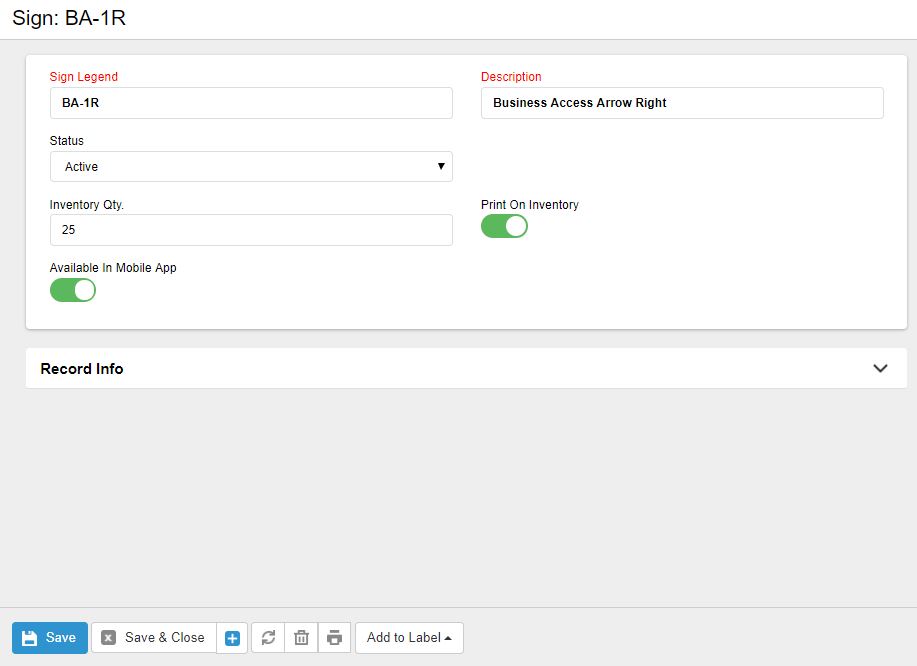
Sign Code: Sign Code must be unique and it is suggested that you use the standard MUTCD codes, but it is not required. When adding a sign to a kit or ticket you will have the ability to search and sort by sign code or description.
Description: The Sign Description is what will appear on the ticket for the driver to see and on any equipment reports.
Inventory Qty.: If you plan to track your physical inventory, you can enter in the total inventory you have. This represents the quantity in the yard, on the trucks and on the job sites.
Print on Inventory: You have the ability to print inventory count sheets to aide in doing a physical inventory. If the box is checked the sign will print on the count sheet.
0 Comments