
Tax rates and tax groups allow you to set up multiple tax rates/groups depending on your taxing circumstances.
You need at least one tax rate and one tax group. And depending on how you have your accounting system setup, you may have a rate for every city and/or county, and then combine them on a tax group. If you have to charge tax based on the location of the job, and therefore have many tax rates, there are benefits is keeping the city/county/state tax rates separated.
When creating a job, you need to assign the job a tax code (which comes from the tax group) and therefore allows you to tax either at the origination of the equipment (your location) or destination (job location).
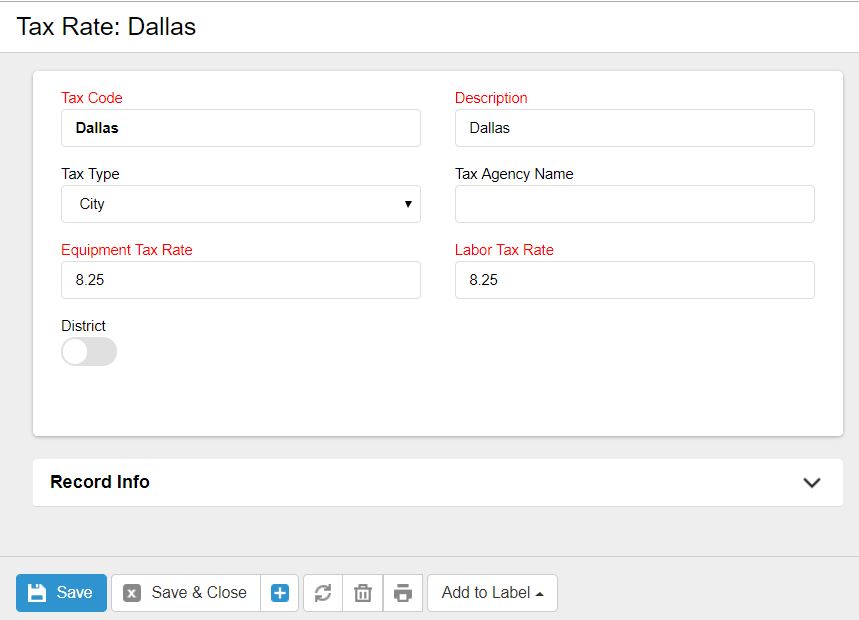
Tax Code/Description: Depending on your accounting system and invoice export format, either the tax code and/or the description will be exported and must match your tax rates information in your accounting system. See additional documentation for your specific accounting software.
Tax Type: This is just a reference to indicate the type of tax (i.e. City, County, State) and is not used for the exports.
Tax Agency Name: Enter in the vendor name associated with the tax rate who you pay your taxes to.
Equipment Tax Rate: Enter in the tax rate to be charged on equipment (i.e. 1.8 = .018)
Labor Tax Rate: If you do not charge tax on labor, enter in 0, otherwise enter in the tax rate you charge, which is normally the same as equipment.
0 Comments