
We can track the line items by assigning equipment-code to it.
Step1: First, go to Settings -> Line items and add a line item by checking 'Tracking' on.
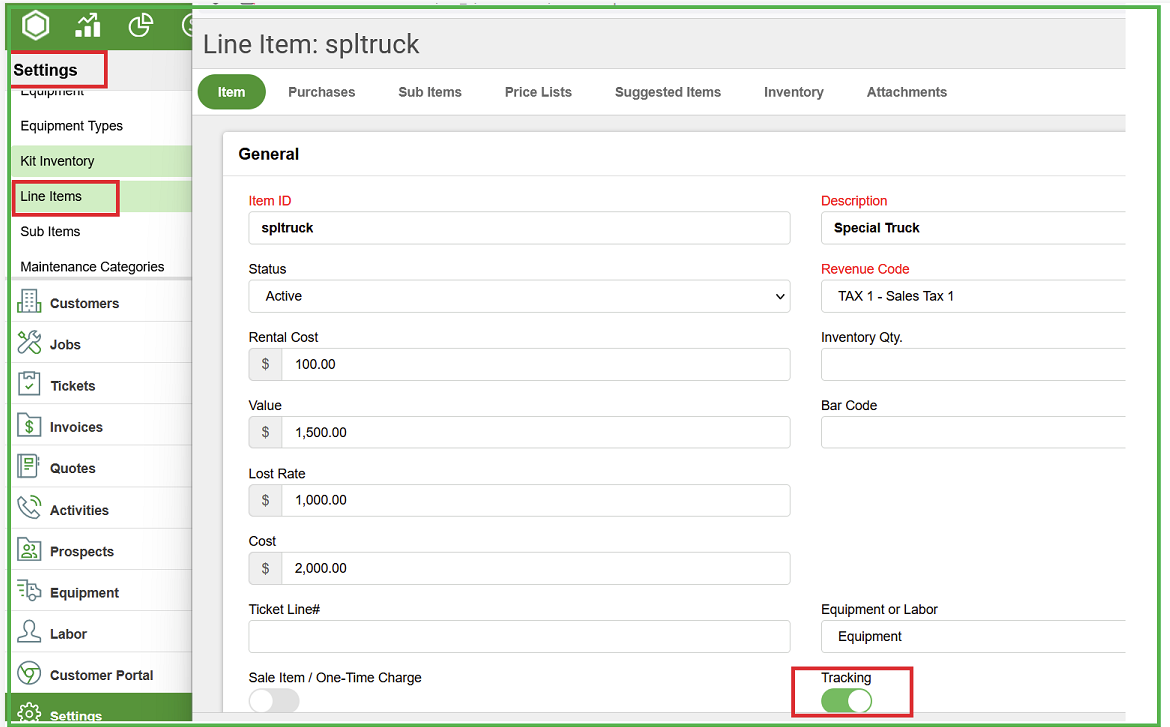
Step2: Go to Settings -> Equipment Types and then add equipment type
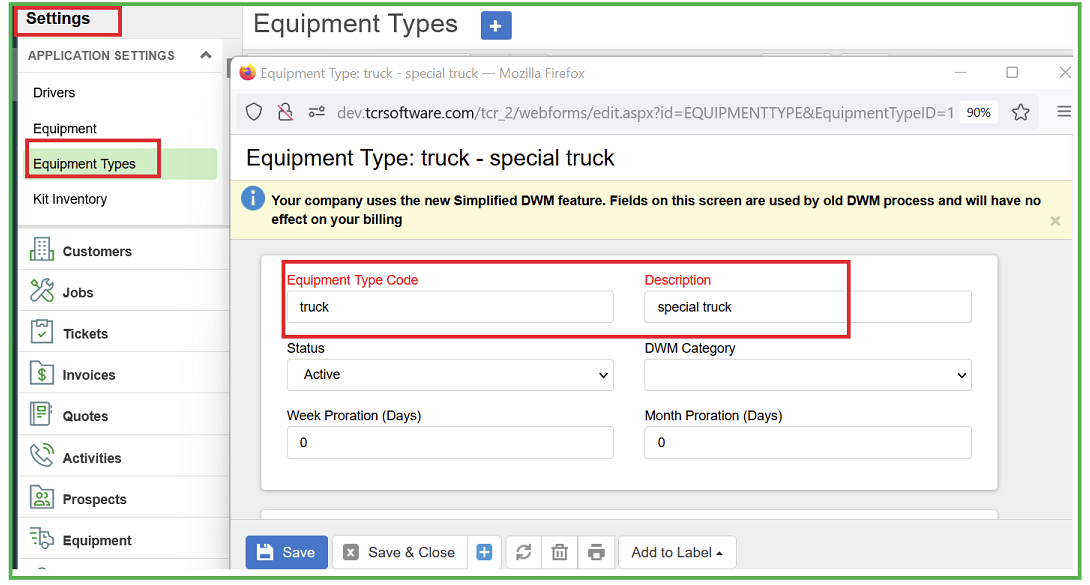
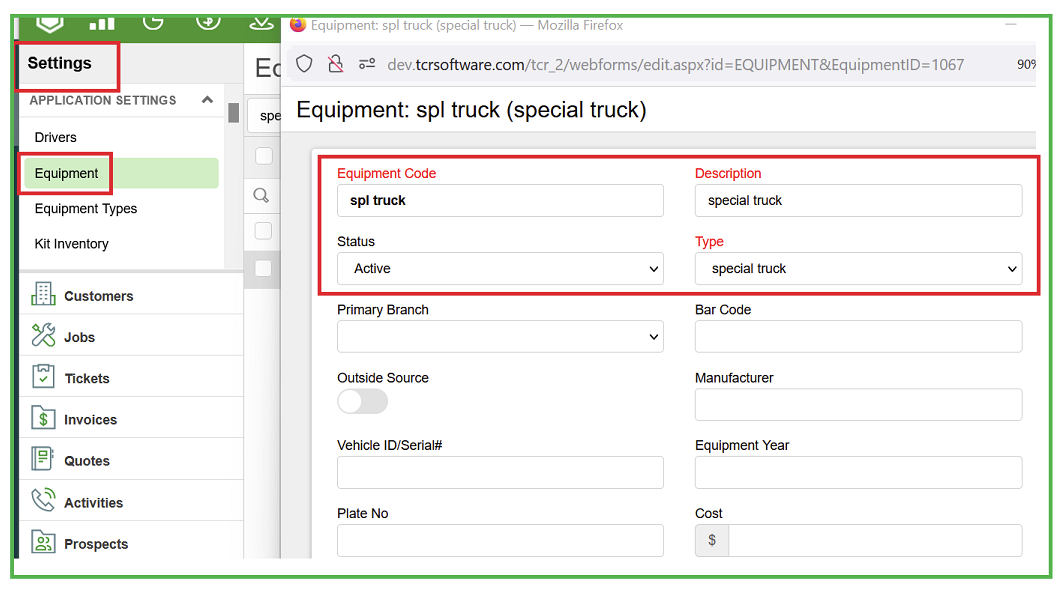
Step3: Go to Settings -> Equipment and then add equipment code
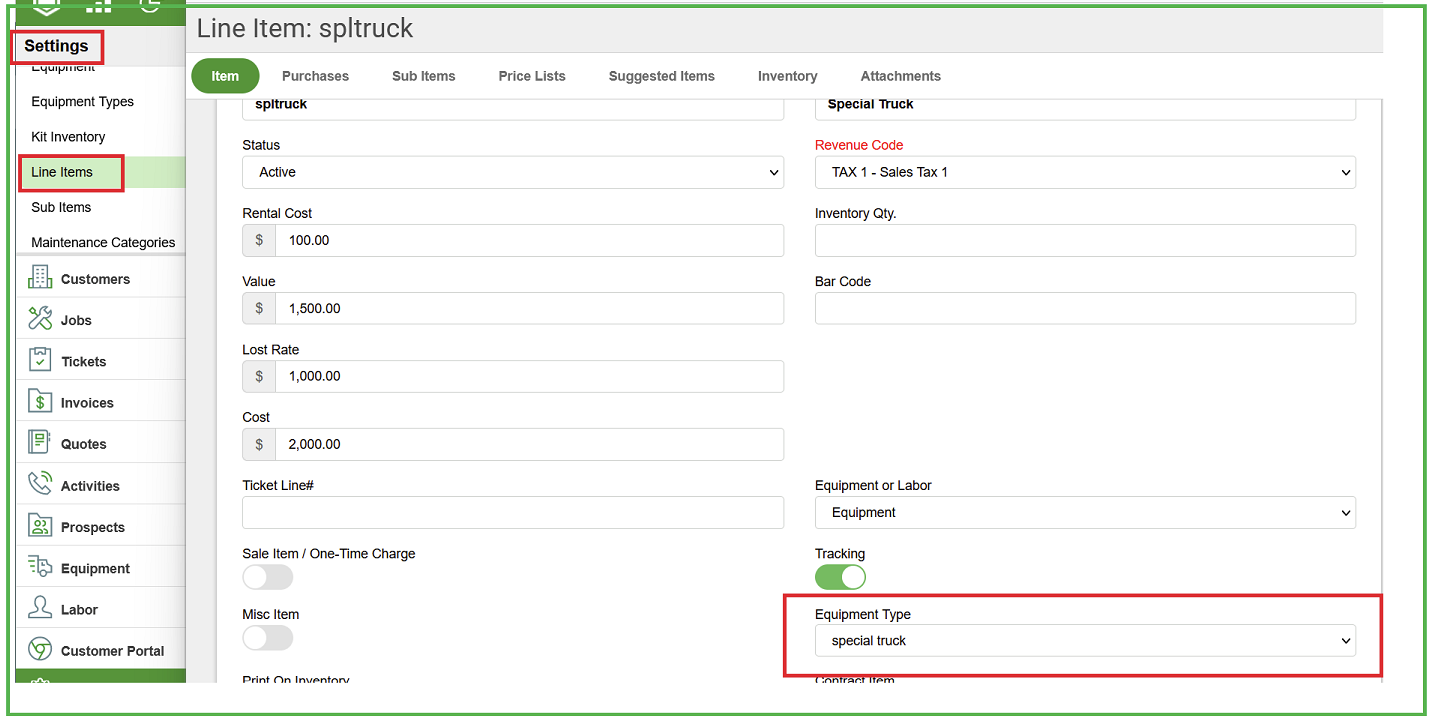
Step 4: Go back to the line item and then assign equipment type.
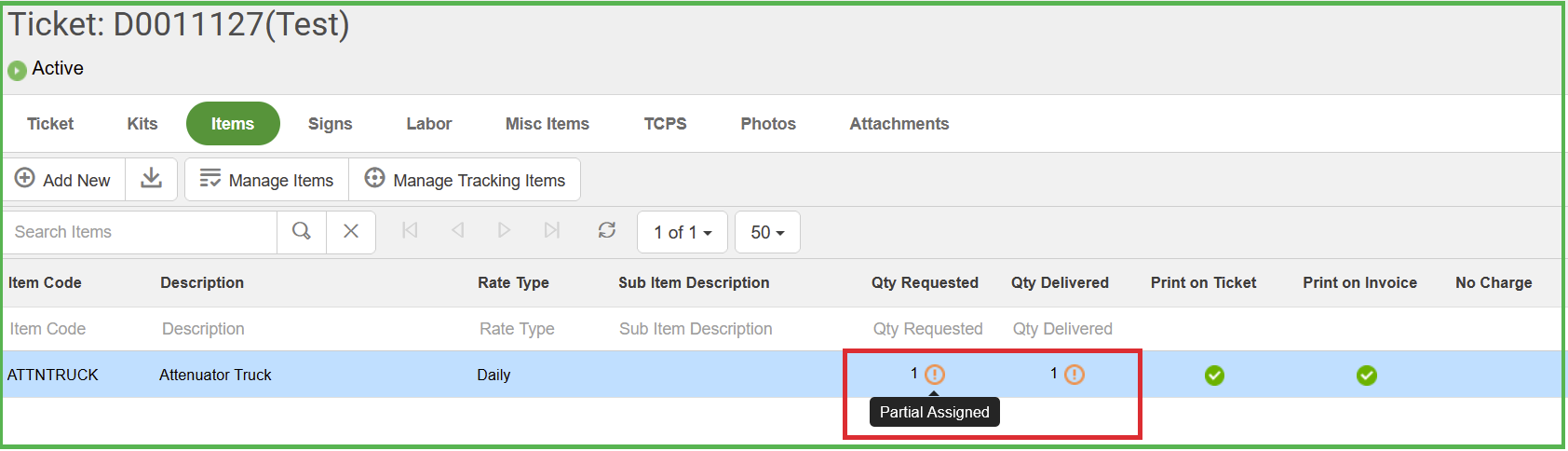
Step5: Go to ticket -> Item and then add a tracking item. When you add any tracking item to the ticket, it says partially assigned.
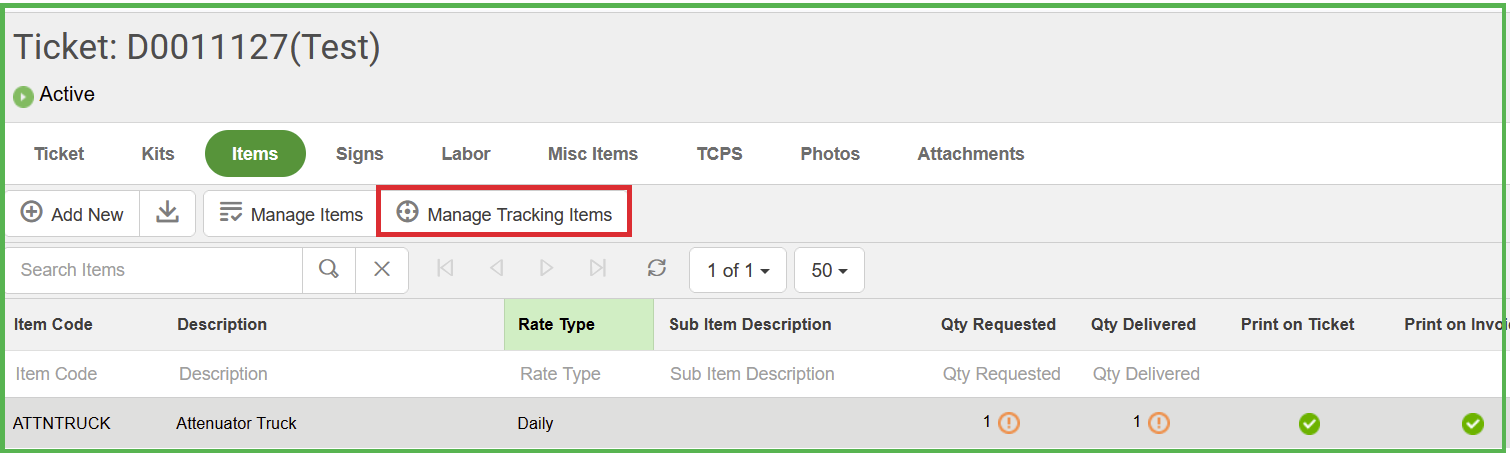
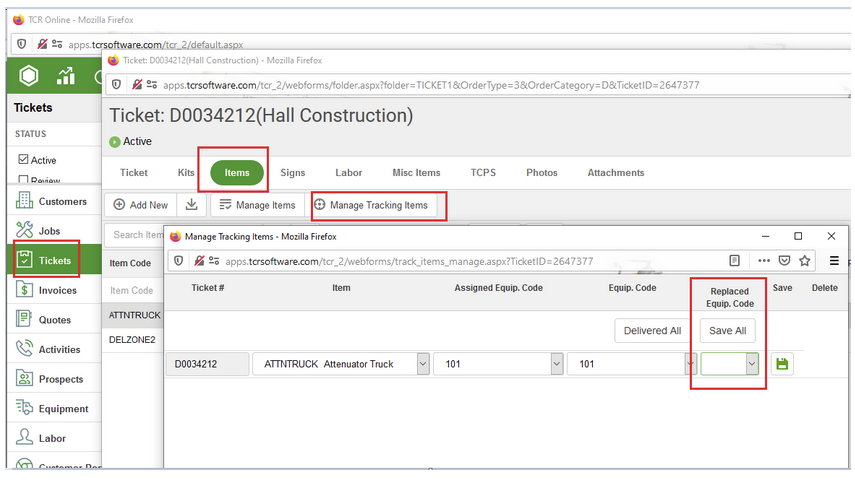
Step6: Go to 'Manager Tracking Items' tab on the ticket -> items screen
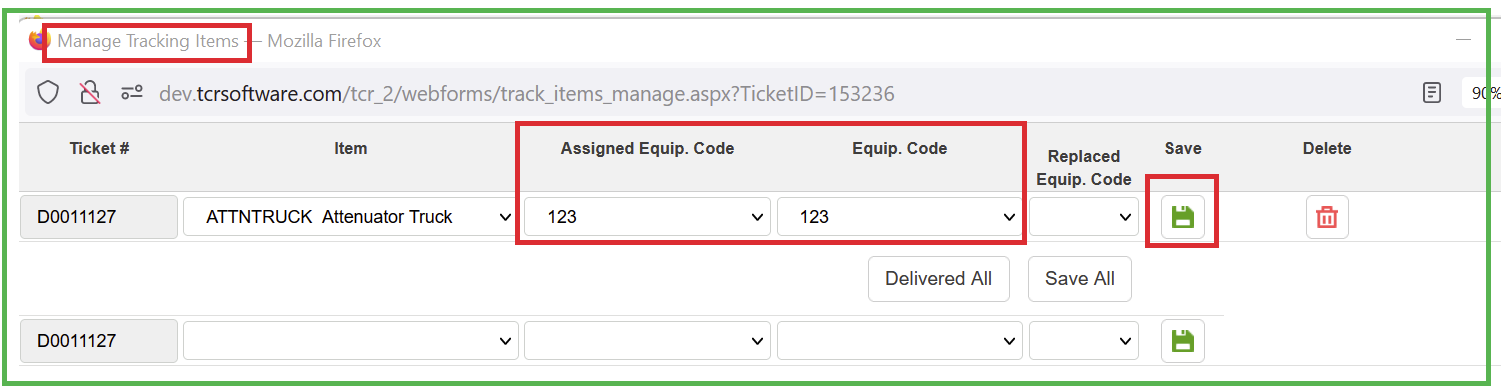
Step7: Assign Equip. Code and then hit save. 'Assigned Equip. code' is for qty requested and 'Equip. Code' is for qty delivered.
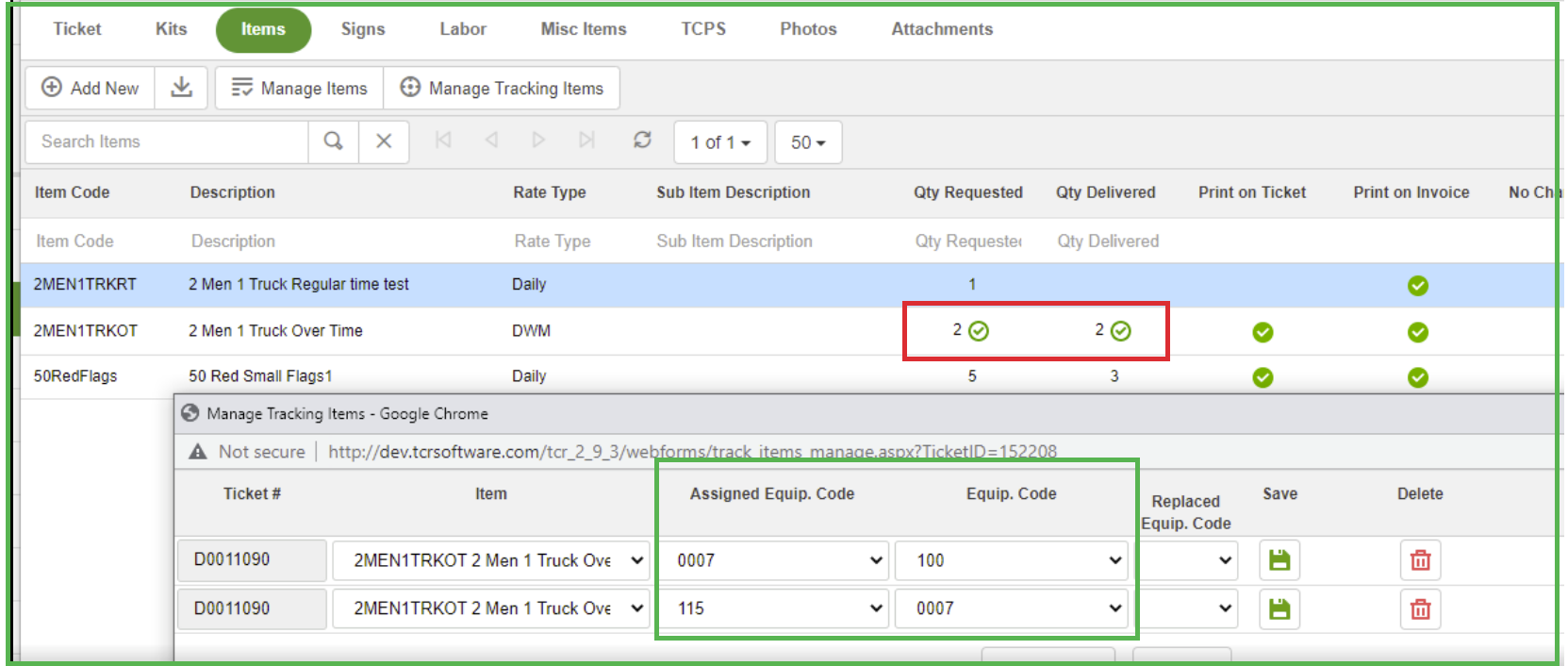
(or) We can also add a new equipment from 'Manager Tracking Items' tab on the ticket -> items screen
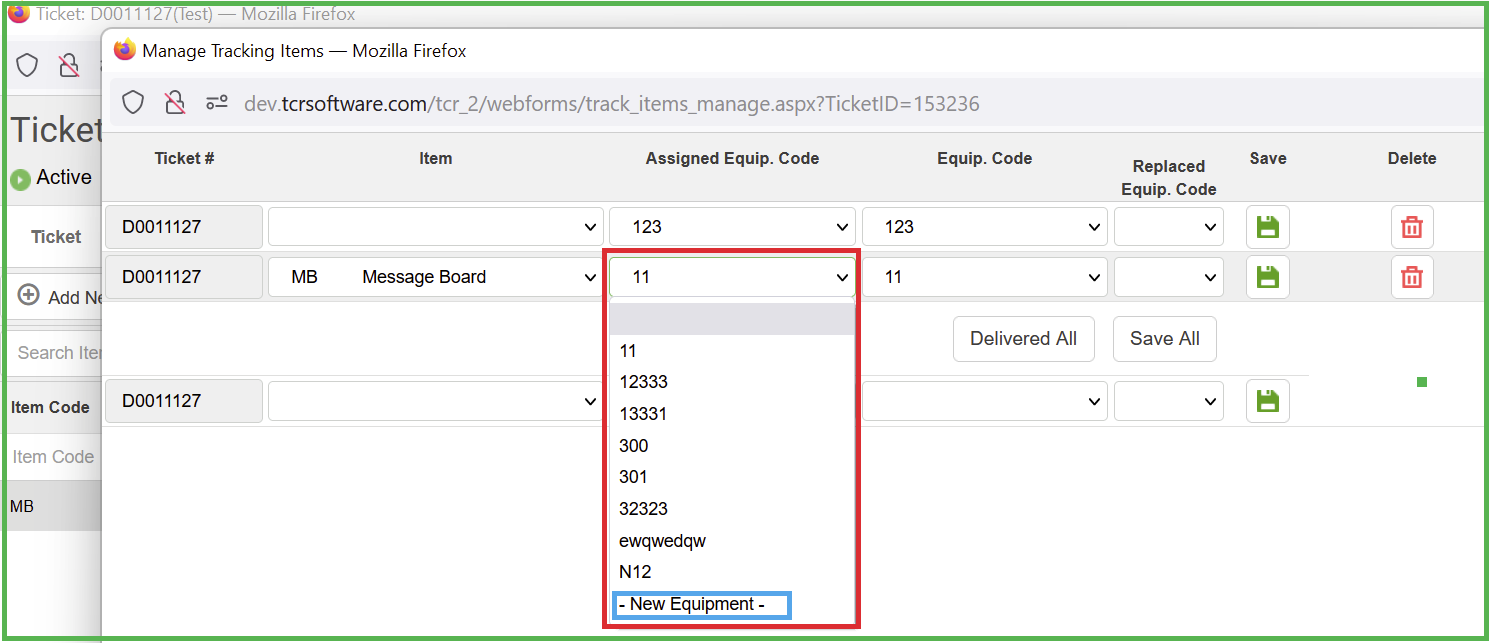
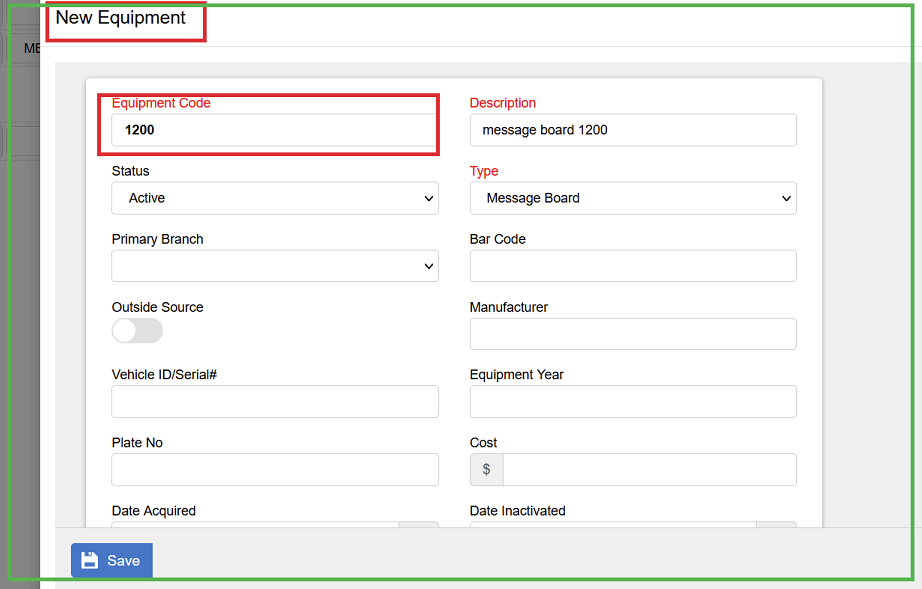
step8: Now it should say 'Fully Assigned'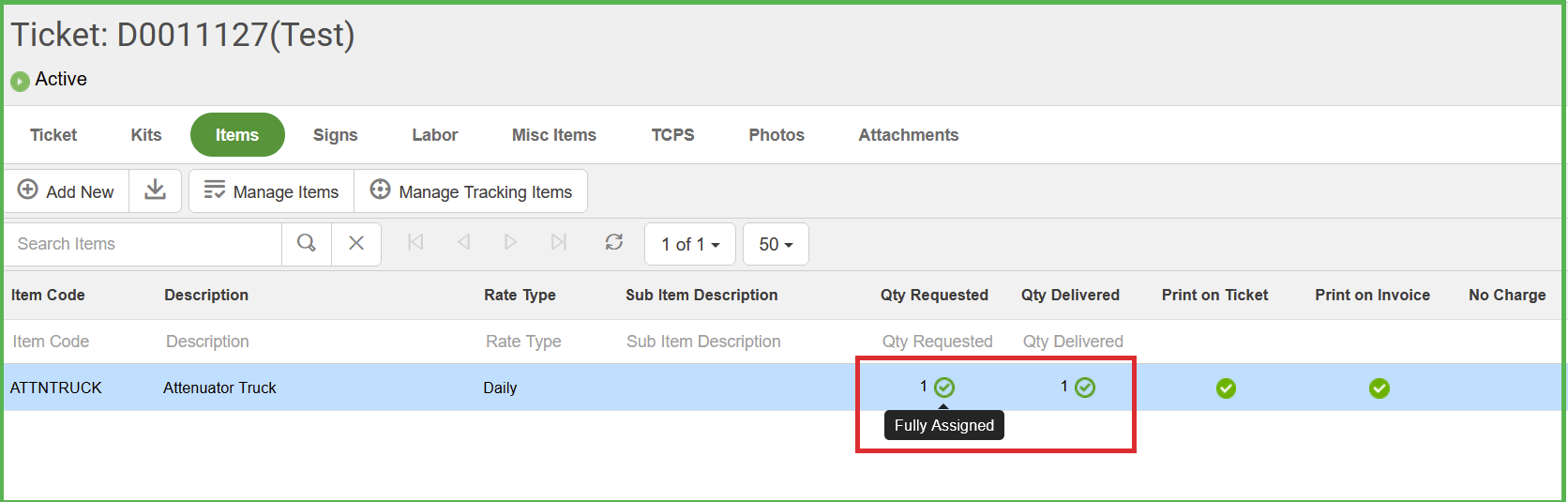
We can see all the job's tracking items under job ->tracking tab
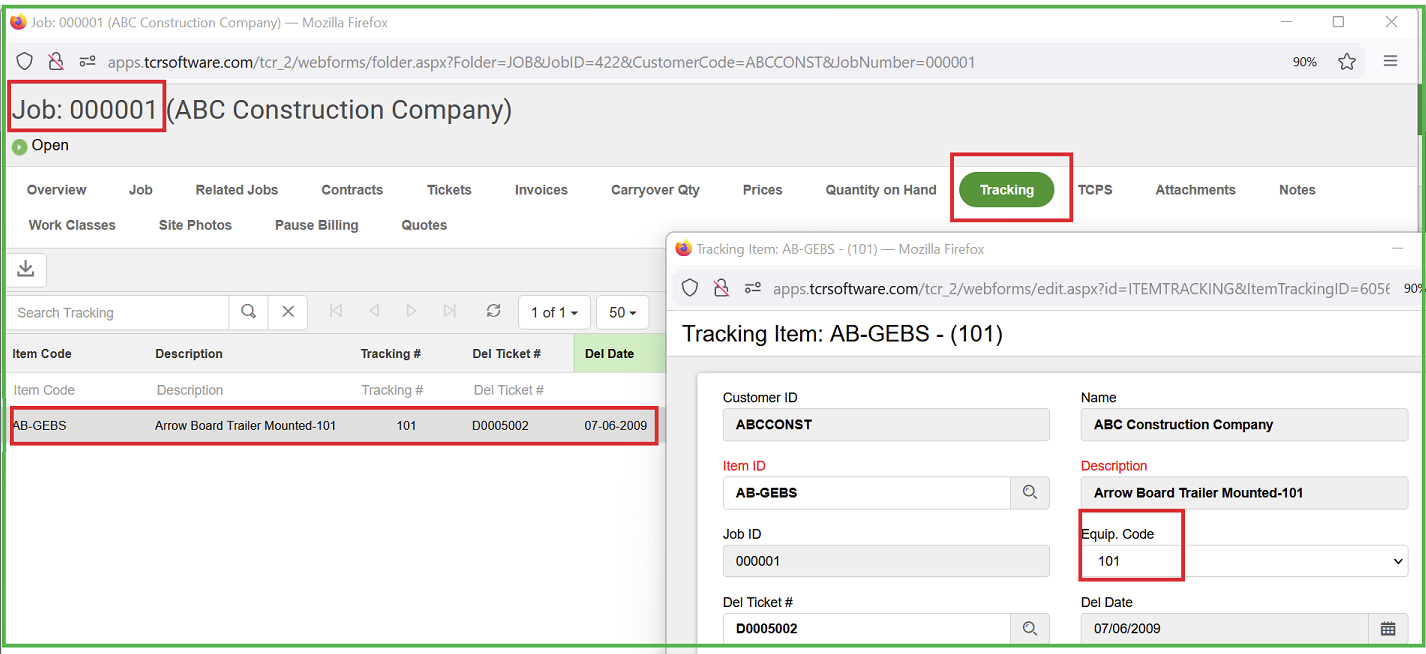
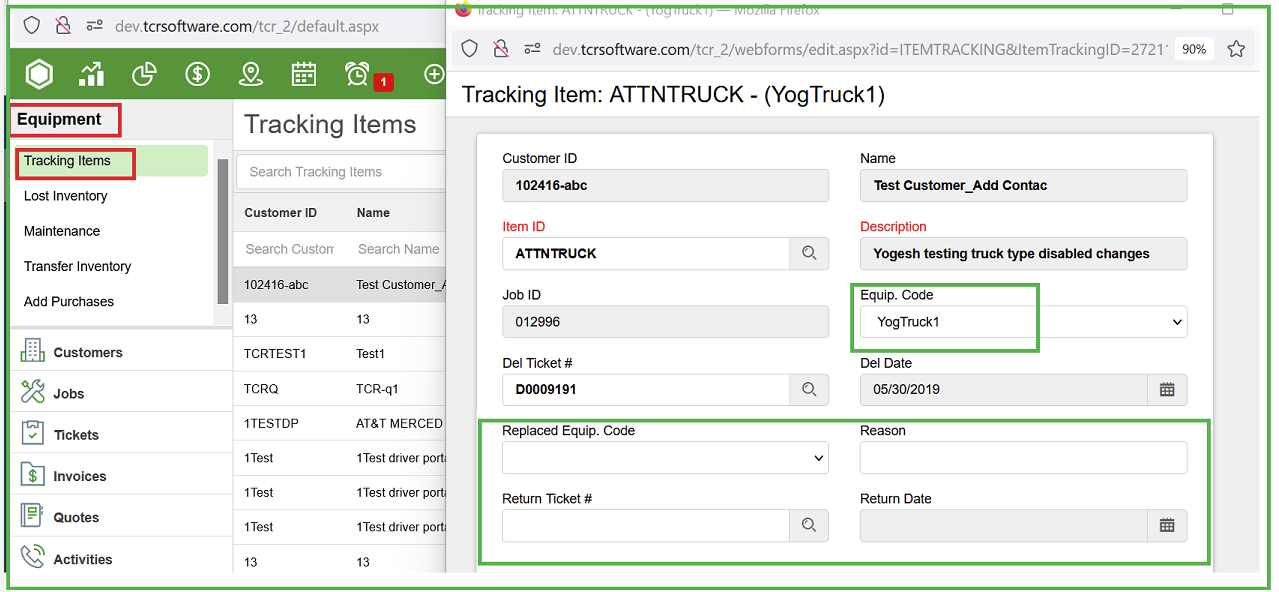
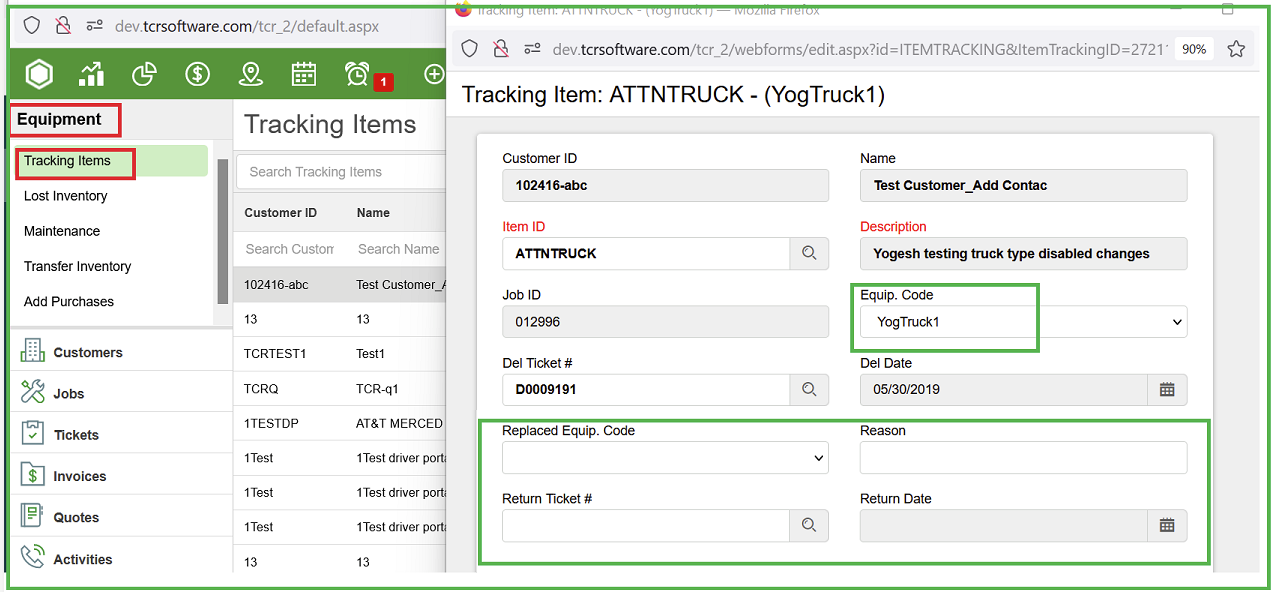
Step9: Able to access tracking items from equipment module
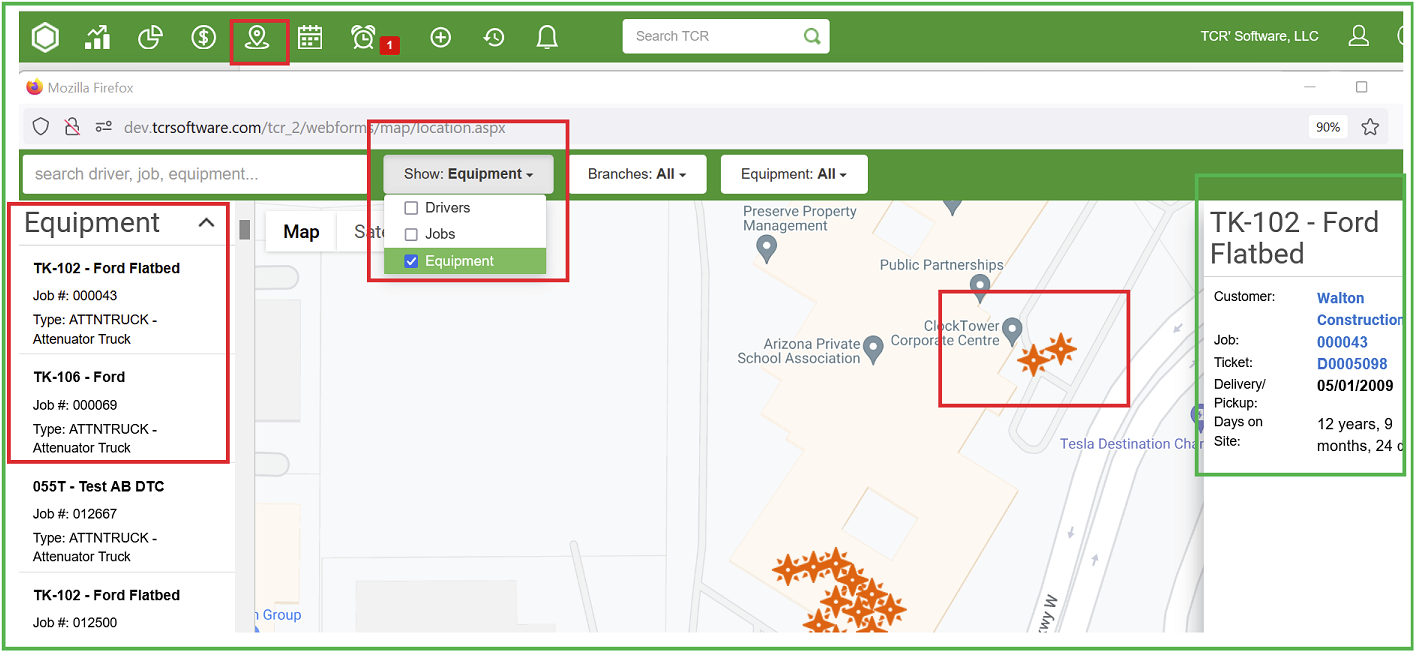
Step10: We can track the equipment from Tcr Main under Maps

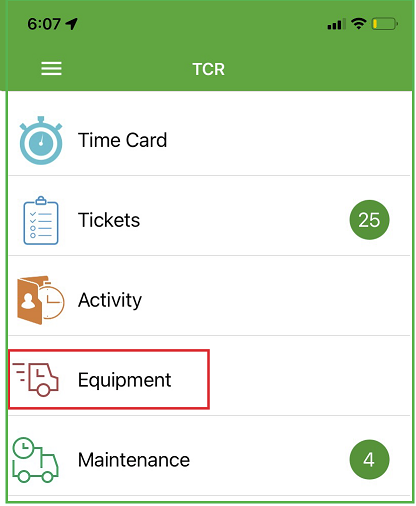
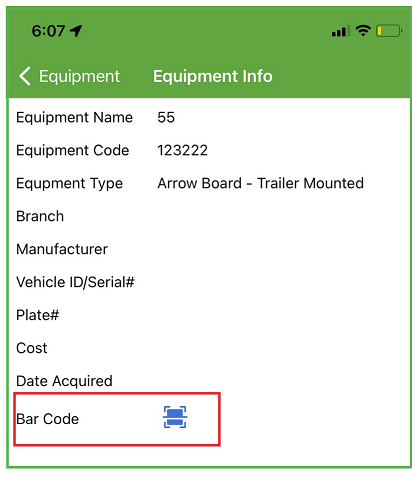
Step 11: Assigning barcode and equipment code from TCR Mobile
Open TCR Mobile App ->Home ->Equipment ->It will list out all the equipment. Click on any equipment and then assign bar code.
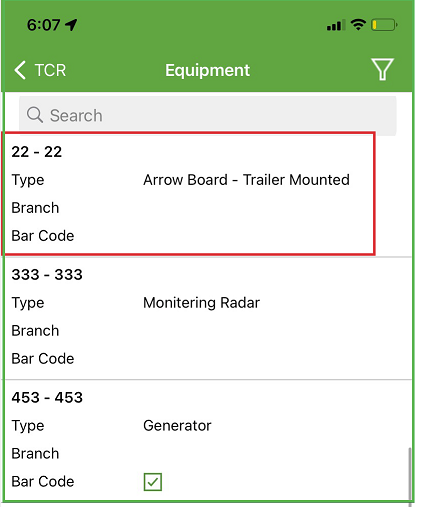
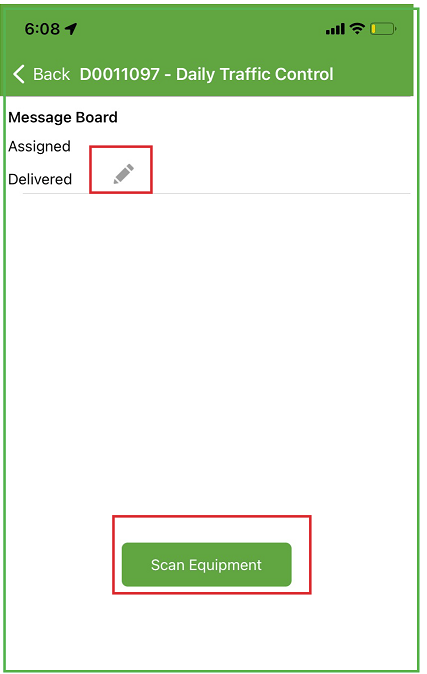
Tcr Mobile -> Tickets ->Equipment tab -> Assign equipment code either with the pencil or with 'scan equipment'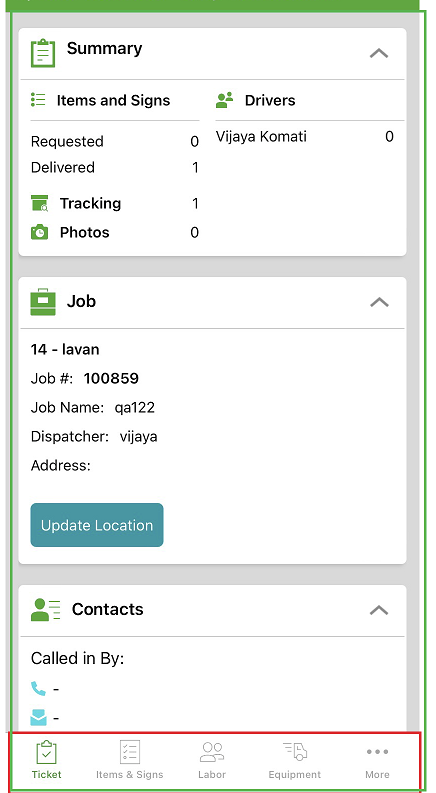
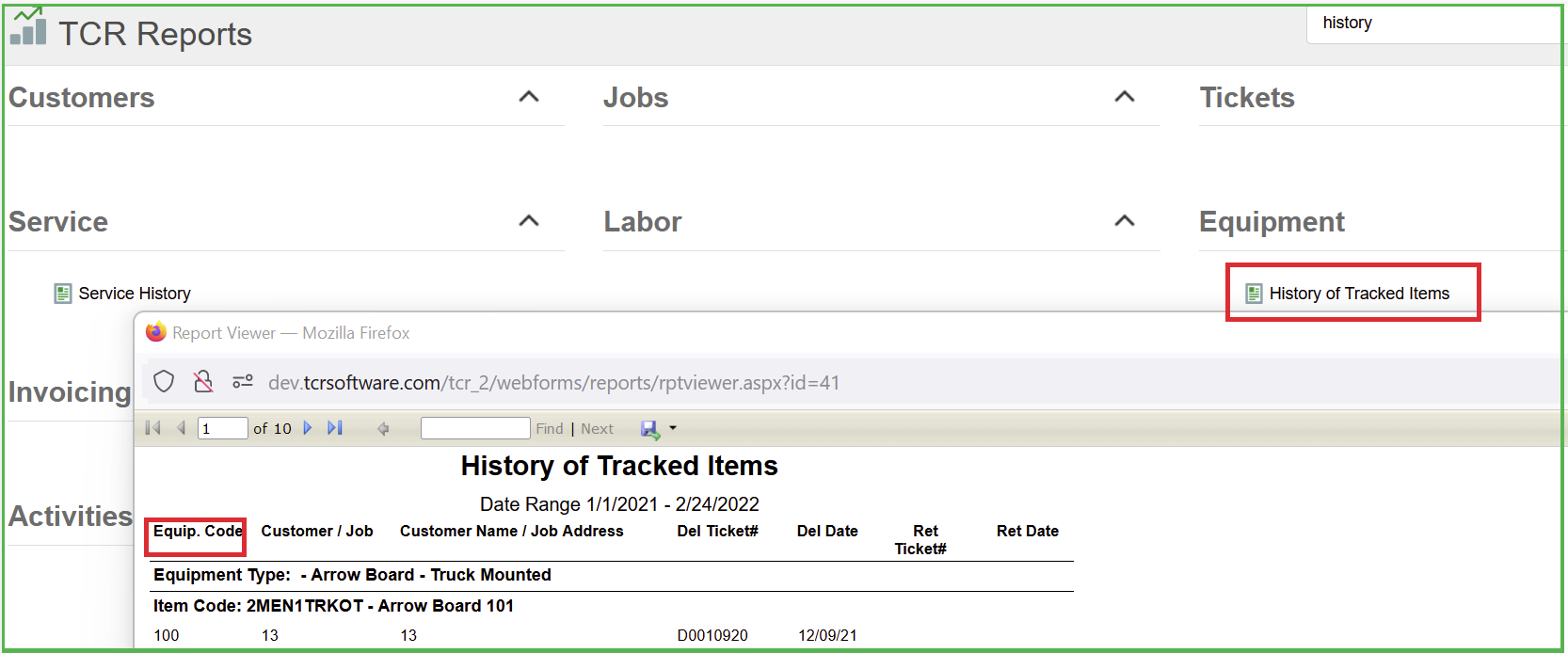
Step12 'History tracked items' report shows the tracked items details.
Step 13: Equipment Replacement Process
If any equipment is lost/broken on site, we need to create a return ticket with that equipment and also add-on ticket with a new equipment and then update 'Replaced Equipment Code' column under 'Managed Tracking Items' tab with the lost/broken equipment code.
For instance, an equipment 'A' is delivered on a ticket# D001 on 8/1, if it is broken or lost after two days, we need to create a return ticket# R001 on 8/3 with an equipment 'A' and also create an Add-on ticket# D002 on 8/3 with an equipment B and then open ticket #D002, go to items tab and click on Managed Tracking Items and add an equipment 'A' under 'Replaced Equipment Code' column which indicates an equipment 'A' is replaced with 'B'.
0 Comments