
AIA report shows you 'what was quoted vs what was actually billed'.
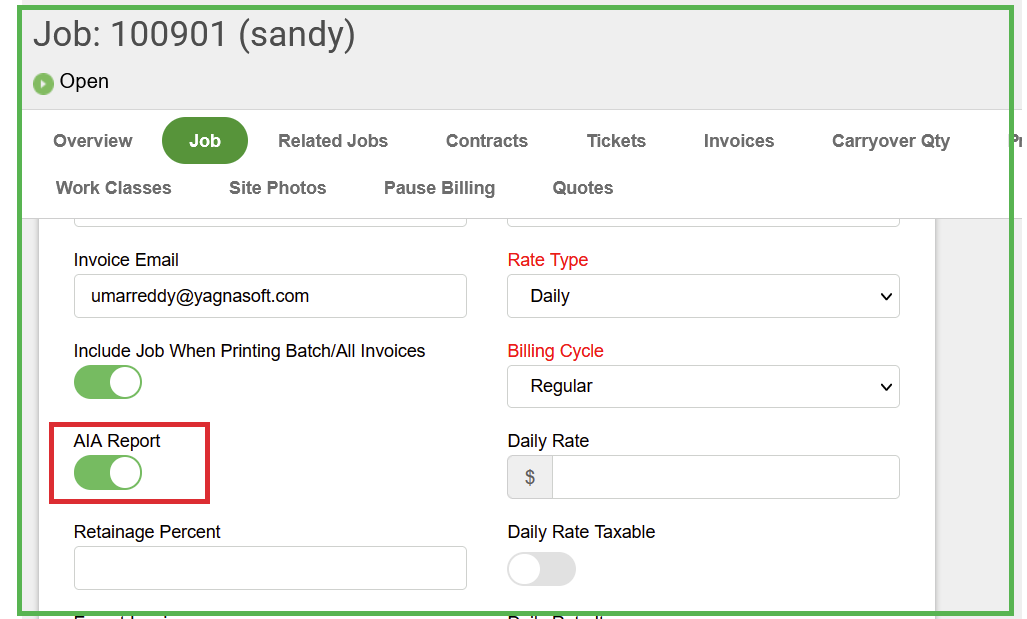
Step1: Let's turn 'AIA Report' toggle 'on' on the job screen.
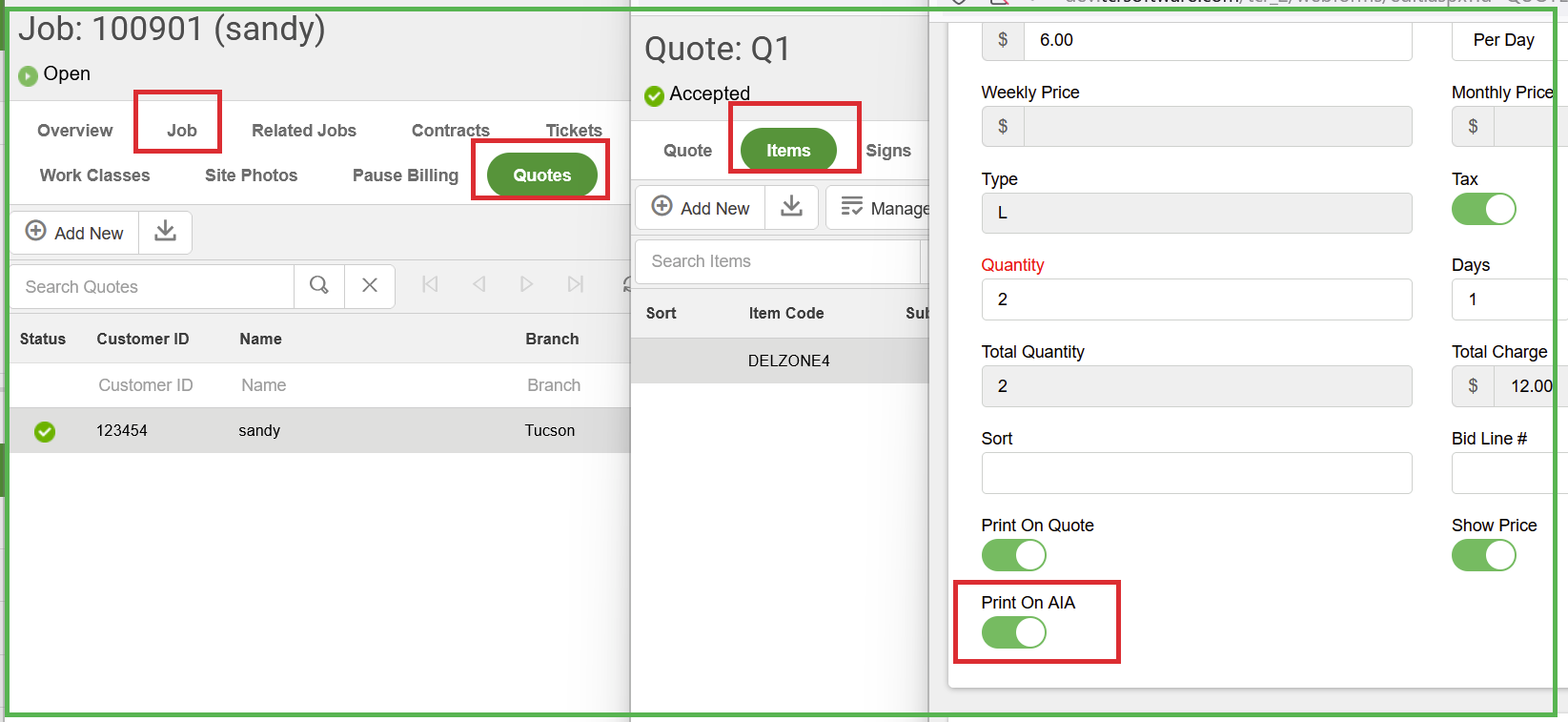
Step2: Go to Job->Quotes ->Quote items->Check 'Print on AIA' toggle
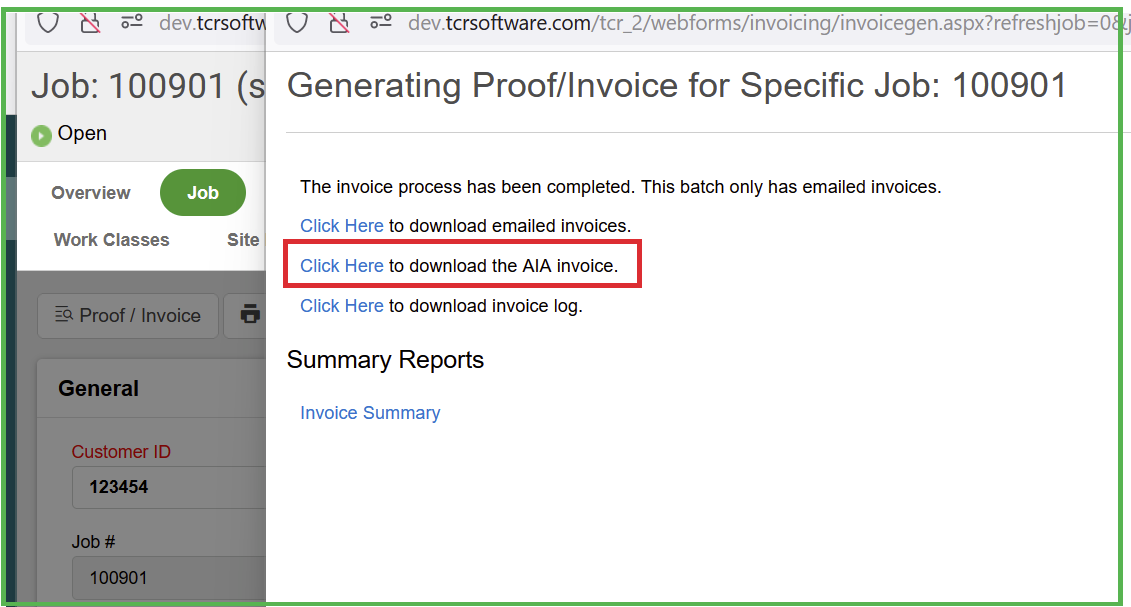
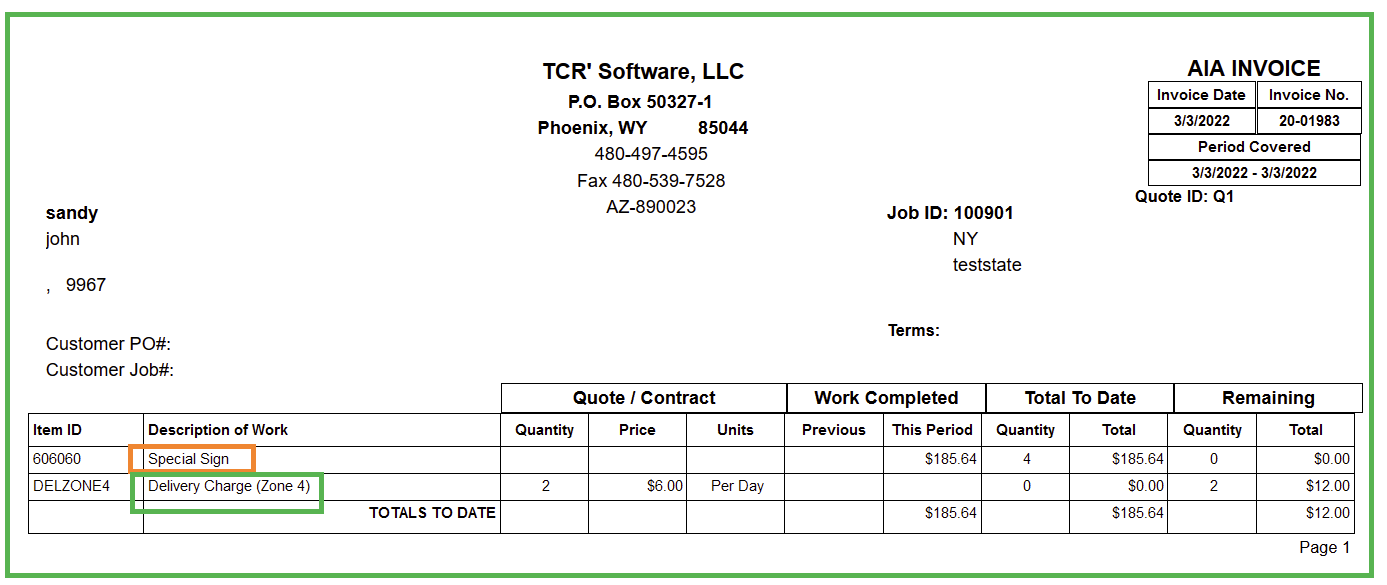
Step3: Add a ticket to the job along with some line items and then try to generate invoice for that job and then you can print 'AIA invoice' using the link 'Click here to download the AIA invoice'. It displays all the items from the job->ticket along with the quote items if they are different from each other.
Here the first item is from the job->ticket->item and the second item is from the job->quote->item.
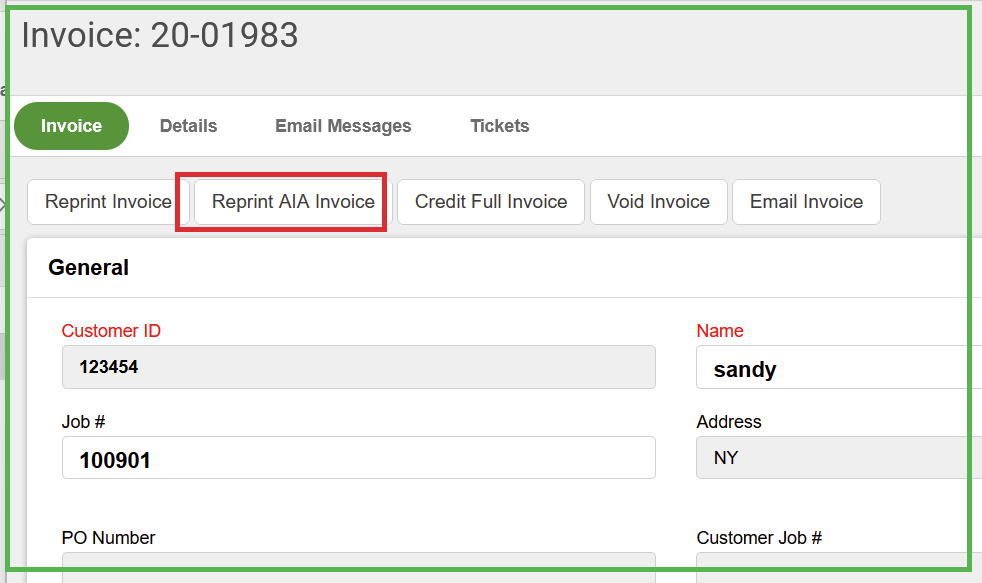
Step4: We can also reprint AIA invoice
0 Comments